
tinker-code-diagram
A plugin for TINKER to create diagrams by writing Mermaid text code with live preview.
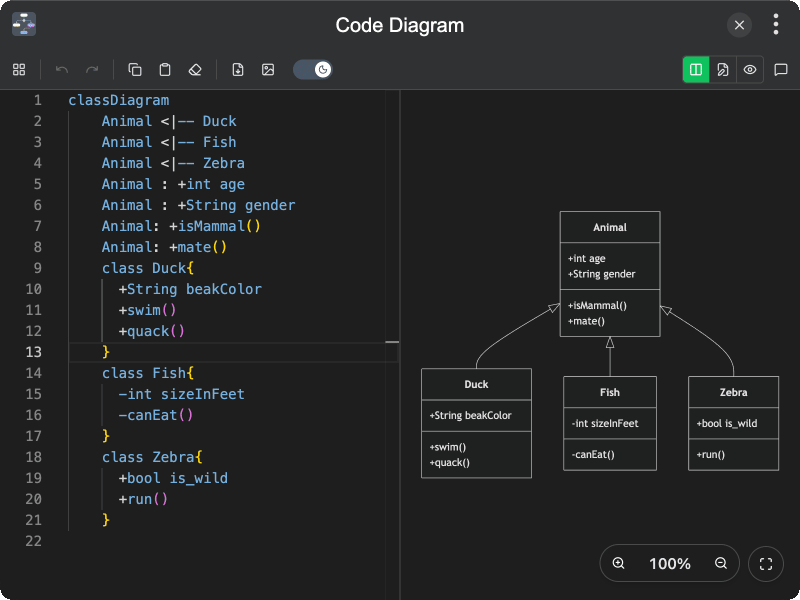
Features
- Mermaid editor — write diagram source in a Monaco-powered code editor with undo, redo, copy, paste, and clear
- Live preview — render Mermaid diagrams in real time as you type
- View modes — switch between split view, editor only, and preview only
- Sample diagrams — load built-in examples for Flowchart, Sequence, Class, ER, State, Mindmap, Gantt, C4, and more
- Theme toggle — preview and export in light or dark mode
- Export — save the rendered diagram as SVG or PNG
- AI assistant — optional chat assistant to help write, fix, and improve Mermaid diagrams (when AI is available)
- Persistent state — remembers editor content, view mode, and theme preference
Usage
- Open the plugin and start editing the Mermaid source in the left editor (or load a sample from Sample Diagrams)
- Watch the live preview update on the right; use the view mode buttons to switch between split, editor, or preview
- Toggle light/dark mode from the toolbar as needed
- Click Export SVG or Export PNG to save the diagram
- If AI is available, open Diagram Assistant for help writing or fixing Mermaid syntax