
tinker-music-player
A local music player plugin for TINKER, supporting playlist management and multiple audio formats.
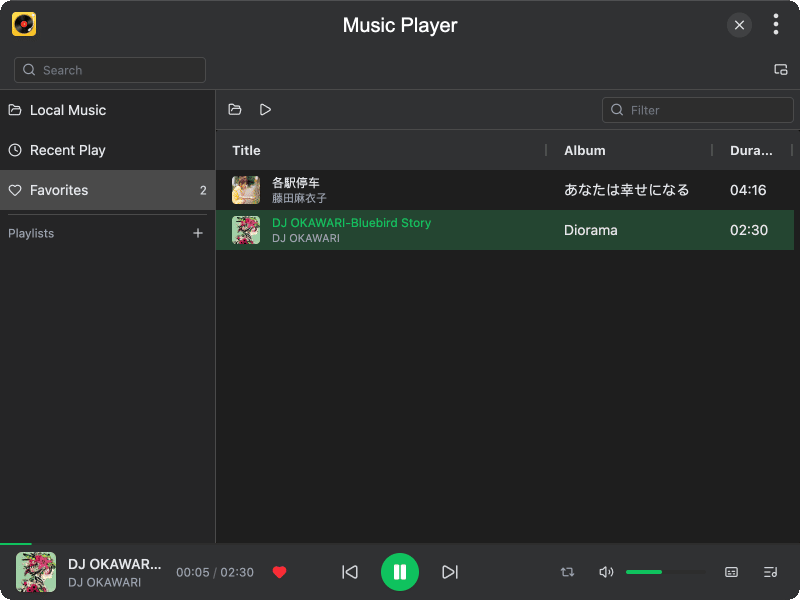
Features
- Multi-format support — play MP3, FLAC, WAV, OGG, M4A, AAC, and WMA audio files
- Playlist management — create custom playlists, add/remove tracks, and manage a favorites list
- Play modes — sequential, single loop, and shuffle playback modes
- Play queue — manage a separate play queue independent of playlists
- Lyrics display — automatic LRC lyrics loading and synchronized display
- Music detail view — view album art and lyrics in a dedicated detail panel
- Recent tracks — automatically records recently played tracks (up to 100)
- File search — search and add local audio files directly from the player
- Mini mode — compact player window for minimal screen usage
- Float lyrics — display lyrics in a floating window on top of other apps
- Volume control — adjustable volume with persistent settings
Usage
Adding Music
- Click the Add button in the toolbar to select audio files from your computer
- Alternatively, use the search bar to find audio files on your system and add them directly
- Tracks are automatically imported with metadata (title, artist, album, cover art)
Playing Music
- Double-click a track in the list to start playback
- Use the player bar at the bottom to control playback (play/pause, previous, next)
- Click the progress bar to seek to a specific position
- Click the play mode icon to cycle between sequential, loop, and shuffle modes
Managing Playlists
- Use the sidebar to switch between Local, Recent, Favorites, and custom playlists
- Right-click a track to add it to favorites or a custom playlist
- Click the + button in the sidebar to create a new playlist