
tinker-git
A Git plugin for TINKER to view git history, browse commits, and inspect file changes.
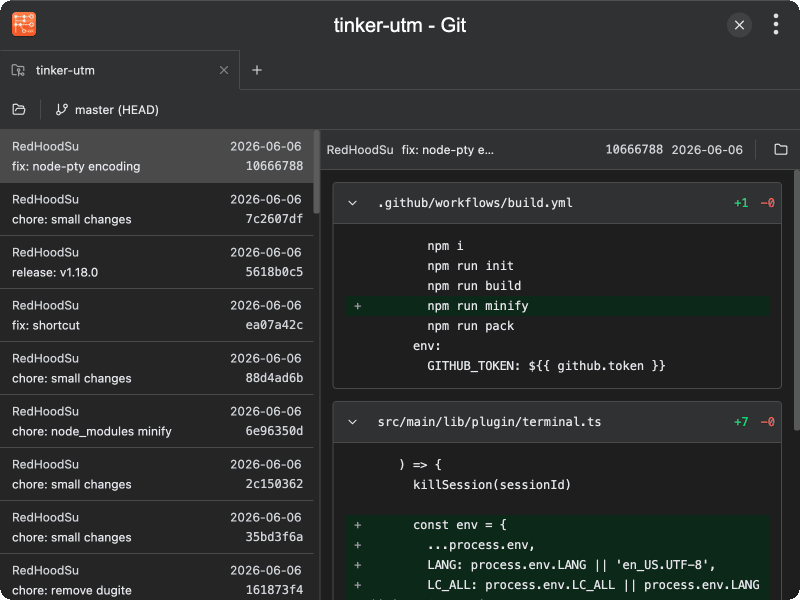
Features
- Repository management — open git repositories via drag-and-drop or system dialog, with multi-tab support
- Branch/remote/tag switching — browse and filter local branches, remote branches, and tags with search
- Commit history — scroll through paginated commit list with author, date, and message summary
- Commit details — view full diff output with color-coded additions and deletions, collapsible by file
- File browsing — explore the file tree of any commit snapshot and view file contents with syntax highlighting
- Blame annotations — toggle line-by-line blame to see author and commit info for each line
- Large diff handling — large diffs are collapsed by default with a "show diff" option; unrenderable diffs (over 70MB) show a warning
- Multi-tab — open multiple repositories in separate tabs with drag-and-drop reordering and right-click context menu
Usage
- Drag a git repository folder onto the window, or click Open Repository to select one via dialog
- Select a branch, remote branch, or tag from the branch selector to view its commit history
- Click a commit in the list to view its diff details
- Scroll down the commit list to load more commits automatically
- Expand or collapse individual file diffs; click the SHA to copy the full commit hash
- Click Browse Files (folder icon) on the commit detail toolbar to explore the file tree at that commit
- Click a file to view its contents with syntax highlighting in the editor
- Toggle Blame to see line-by-line author and commit annotations