
tinker-web-runner
A frontend code playground plugin for TINKER, supporting writing and running HTML/CSS/JS in real time.
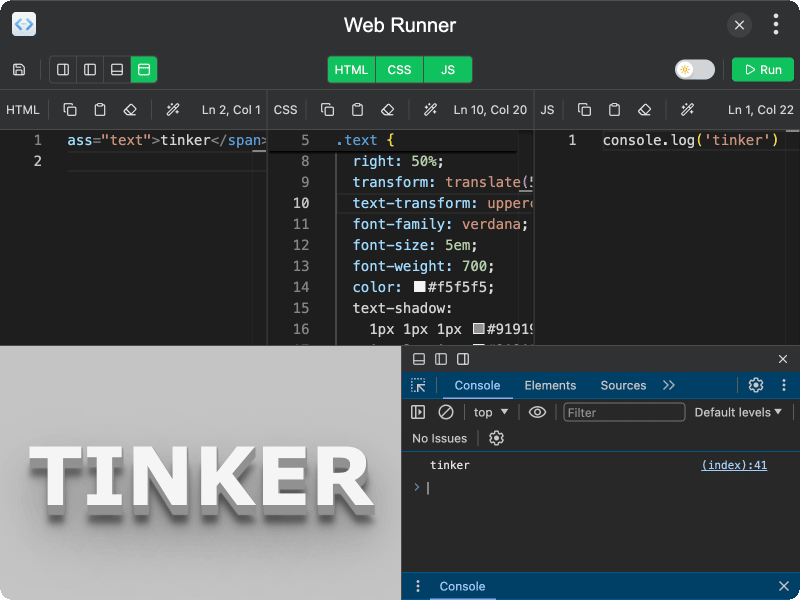
Features
- HTML/CSS/JS editors — separate code panels for HTML, CSS, and JavaScript with syntax highlighting
- Live preview — run your code instantly and see the result in an embedded preview panel
- Dark/Light mode — toggle the preview background between dark and light themes
- Flexible layout — arrange the editor and preview in left, right, top, or bottom positions
- Panel visibility — show or hide individual HTML, CSS, and JS panels as needed
- Code formatting — format your code with one click
- Save to directory — export your code as separate
index.html,style.css, andscript.jsfiles - DevTools — open built-in developer tools with configurable position (bottom, left, right)
- Context menu — right-click for copy, paste, clear, and format actions
- Persistent state — your code and layout preferences are saved automatically
Usage
- Write your HTML, CSS, and JavaScript in the respective editor panels
- Click the Run button (or use the toolbar) to execute the code and see the preview
- Use the layout buttons in the toolbar to rearrange the editor/preview position
- Toggle panel visibility using the HTML, CSS, JS buttons in the toolbar center
- Click the Save button to export your code to a directory as separate files
- Use the dark/light mode switch to toggle the preview background color