
tinker-audio-editor
A full-featured audio editor plugin for TINKER, supporting multi-format audio editing with waveform visualization.
Features
- Multi-format support — open MP3, WAV, OGG, FLAC, M4A, AAC, OPUS, and WebM audio files
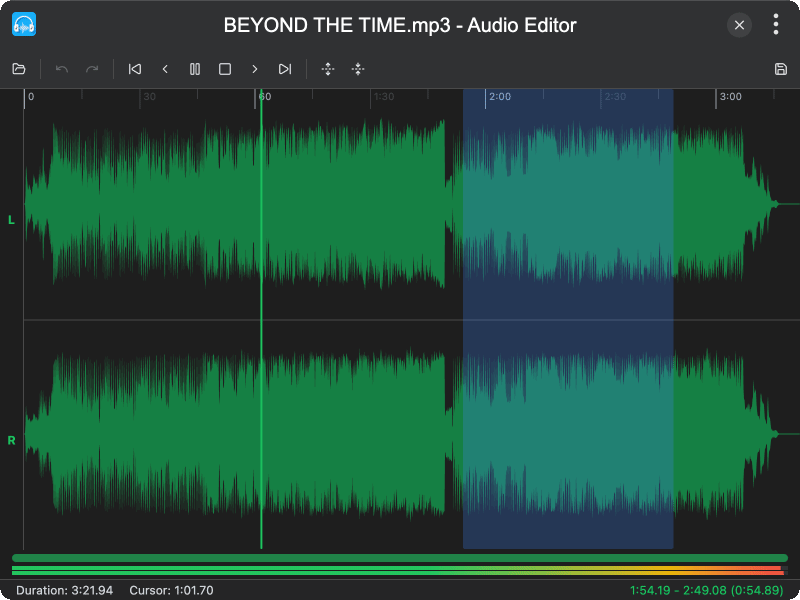
- Waveform visualization — stereo waveform display with zoom, scroll, and timeline
- Region selection — drag to select audio regions for editing operations
- Basic editing — trim, delete, silence, copy, cut, and paste audio
- Signal processing — gain adjustment, normalization, speed change, fade in/out
- Insert silence — add silent sections at any position (1–60 seconds)
- Real-time monitoring — VU meters with peak indicators and per-channel muting
- Undo/Redo — full history support with up to 20 undo levels
- Keyboard shortcuts — Space (play/pause), Ctrl+Z (undo), Ctrl+A (select all), and more
- Export to WAV — save edited audio as WAV files
Usage
Opening Audio
- Click the Open button in the toolbar, or drag and drop an audio file into the window
- The audio waveform is displayed with a timeline above it
Editing Audio
- Drag on the waveform to select a region
- Use the toolbar buttons or right-click context menu to apply operations like Trim, Delete, Silence, Gain, Normalize, Speed, Fade In, or Fade Out
- Use Copy, Cut, and Paste to move audio between positions
- Use Ctrl+Z to undo and Ctrl+Y to redo
Playback
- Press Space or click the Play button to start playback
- Use the seek buttons to navigate forward/backward
- Monitor audio levels in the VU meter at the bottom of the waveform
- Click the L or R labels to mute individual channels
Exporting
- Click the Export button in the toolbar
- Choose a save location and filename
- The audio is saved as a WAV file