
tinker-minesweeper
Clear the minefield without detonating a bomb! A retro-style puzzle game for TINKER.
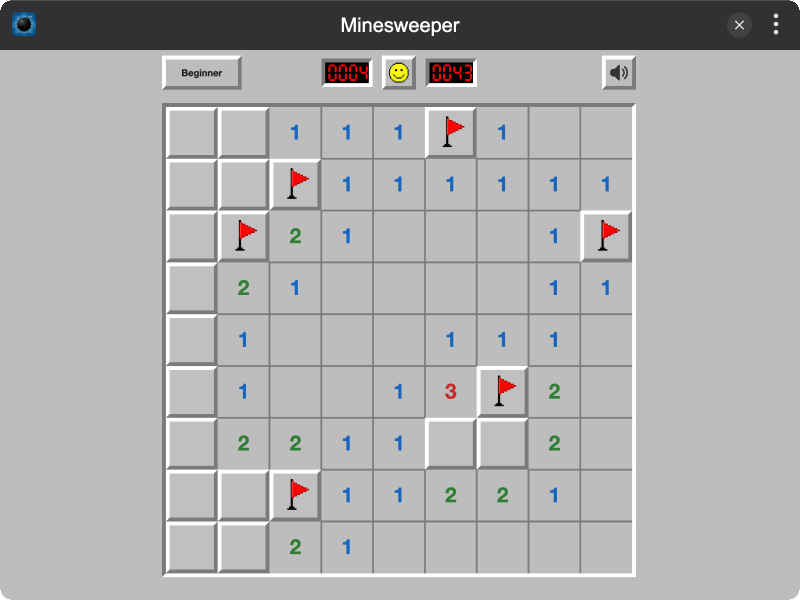
Highlights
- Authentic retro look — hand-drawn Windows XP aesthetic with beveled borders, sunken displays, and the iconic smiley face button
- Three difficulty levels — Beginner (9x9), Intermediate (16x16), and Expert (16x30)
- First-click safe — mines are placed after your first tap, so you never lose on the opening move
- Smart auto-reveal — clicking an empty cell flood-fills all connected safe tiles with numbered hints
- Play your way — full keyboard modifiers, mouse, and touch support with long-press to flag
- Bilingual — fully localized in English and Chinese
Installation
Play directly in browser, or install via TINKER: download from https://tinker.liriliri.io/, then run npm i -g tinker-minesweeper.
How to Play
- Open the Minesweeper plugin in TINKER
- Tap any cell to reveal it — numbers tell you how many mines are nearby
- Long-press or right-click to flag a suspected mine, right-click again to mark as unknown
- Use chord (middle-click or Ctrl+click on a revealed number) to auto-open neighbors when you've placed enough flags
- Reveal all safe cells without hitting a mine — lights out if you blow one up!