
tinker-electron-debug
An Electron app debugger plugin for TINKER, enabling remote debugging of in-production Electron applications.
Features
- Auto-detect Electron apps installed on the system
- Launch & attach debugger with a single click
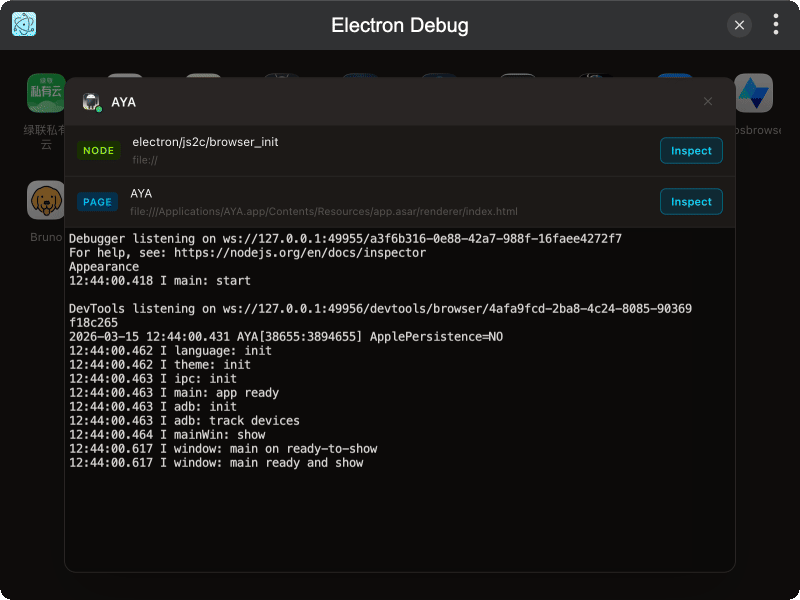
- Inspect pages — view Node.js and renderer process targets
- DevTools integration — open Chrome DevTools for any target
- Live log output — stream stdout/stderr in a built-in terminal
- Multi-session support for debugging multiple apps simultaneously
Installation
Download and install TINKER, then run:
bash
npm i -g tinker-electron-debugUsage
- Select an Electron app from the app grid
- The app launches with debugging ports enabled
- Inspect Node.js or renderer process targets in the page list
- Click Inspect to open Chrome DevTools for a target
- View live log output in the terminal below