
tinker-ocr
OCR text recognition plugin powered by Tesseract.js, extracting text from images with multi-language support.
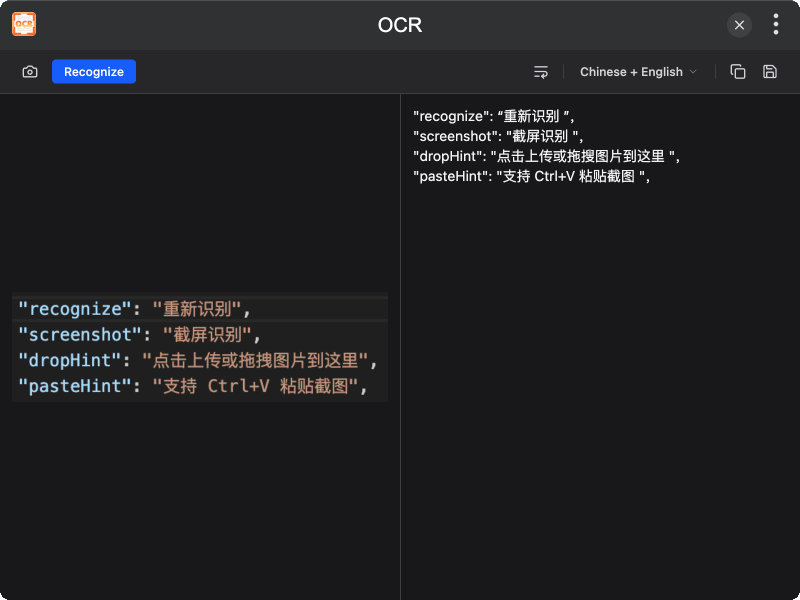
Features
- Image Text Recognition — Offline OCR powered by Tesseract.js
- Multiple Input Methods — File picker, drag-and-drop, paste from clipboard, and screen capture
- Multi-language — Select different languages for recognition
- Strip Newlines — Remove extra line breaks from results with one click
- Copy and Save — Quickly copy results or save as a text file
- Dark Mode — Supports dark theme
Installation
Download and install TINKER, then run:
bash
npm i -g tinker-ocrUsage
- Load an image via file picker, drag-and-drop, paste, or screen capture
- Select the recognition language
- Click Recognize to start OCR
- View the results in the right panel
- Click copy to copy text, or save to export as a text file