
tinker-downloader
A download manager plugin for TINKER with pause, resume, and progress tracking.
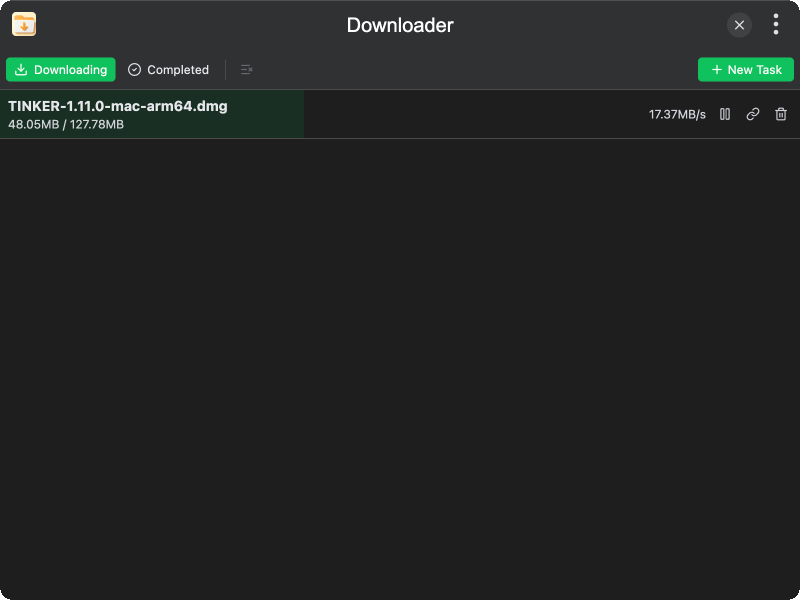
Features
- Add download tasks — enter a URL and file name to start downloading, with automatic clipboard URL detection
- Pause and resume — pause an in-progress download and resume it later
- Progress tracking — real-time progress bar, downloaded/total size, and download speed display
- Custom save directory — choose where to save downloaded files, with the setting persisted across sessions
- Filter view — switch between downloading and completed tabs to manage tasks
- Open in folder — reveal completed downloads in the system file manager
- Copy URL — quickly copy the download URL to clipboard
- Clear completed — remove all finished and cancelled downloads at once
- Task persistence — download tasks are restored when the plugin is reopened
Usage
- Click + New Task in the toolbar to open the add download dialog
- Enter the download URL (if a URL is in your clipboard, it will be auto-filled)
- Set the file name and choose a save directory
- Click Download to start the download
- Use the Downloading / Completed tabs to filter the task list
- Click the pause/resume button on a task to control the download
- Click the folder icon on a completed task to open it in the file manager