
tinker-hosts
A hosts file manager plugin for TINKER, allowing you to create, manage, and quickly switch between multiple hosts configurations.
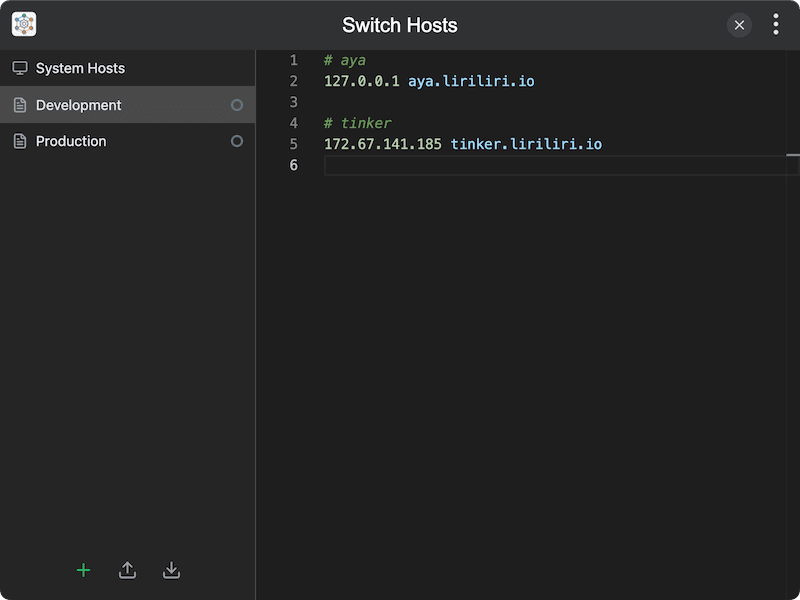
Features
- View system hosts — read and display the current system hosts file
- Multiple configurations — create and manage multiple named hosts configurations
- Quick toggle — activate or deactivate configurations with a single click
- Auto apply — changes to active configurations are automatically applied to the system hosts file
- Configuration management — rename, edit, and delete configurations via context menu
- Safe merging — managed content is wrapped in markers so your existing hosts entries are preserved
Usage
- The System Hosts view in the sidebar shows the current contents of your system hosts file
- Click New Config to create a named hosts configuration (e.g., "Development", "Staging")
- Select a configuration in the sidebar and edit its hosts entries in the editor
- Click the indicator dot next to a configuration to activate or deactivate it
- Active configurations are automatically merged and applied to the system hosts file
- Right-click a configuration for options to rename, delete, or toggle its active state
Note: Writing to the system hosts file may require administrator privileges.