
tinker-archive
An archive management plugin for TINKER, for viewing, extracting, and creating ZIP-based archive files.
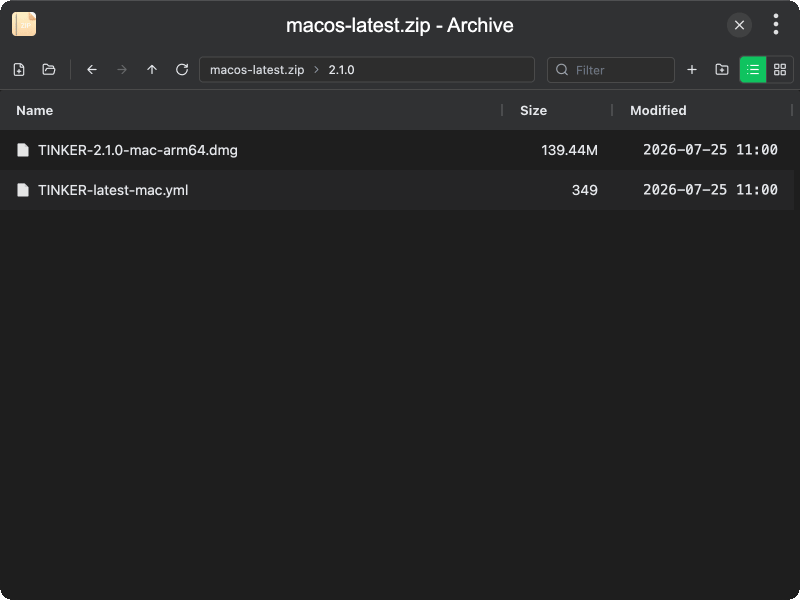
Features
- Open archives — open ZIP-based files via file dialog or drag and drop (zip, apk, jar, docx, epub, and more)
- Create archives — create a new empty ZIP file and start adding content
- Browse contents — navigate folders with back/forward/up, path breadcrumbs, and path input
- Add & organize — add local files or folders, create directories inside the archive
- Extract — extract selected entries or the entire archive to a local directory
- Delete — remove files and folders from the archive (changes are saved immediately)
- List & grid views — switch between list and grid layouts; sort by name, size, or modified time
- Filter — quickly filter entries by name
Usage
- Click Open Archive in the toolbar, or drag and drop a ZIP-based file into the window
- Browse the archive contents; double-click a folder to enter it
- Use Add Files or New Folder to modify the archive
- Select entries and use the context menu to Extract or Delete them
- To unpack everything, right-click empty space and choose Extract All
Create a new archive
- Click New Archive in the toolbar
- Choose a save location for the
.zipfile - Add files and folders as needed