
tinker-nes
NES emulator plugin for TINKER with ROM loading, keyboard/gamepad controls, and fullscreen play.
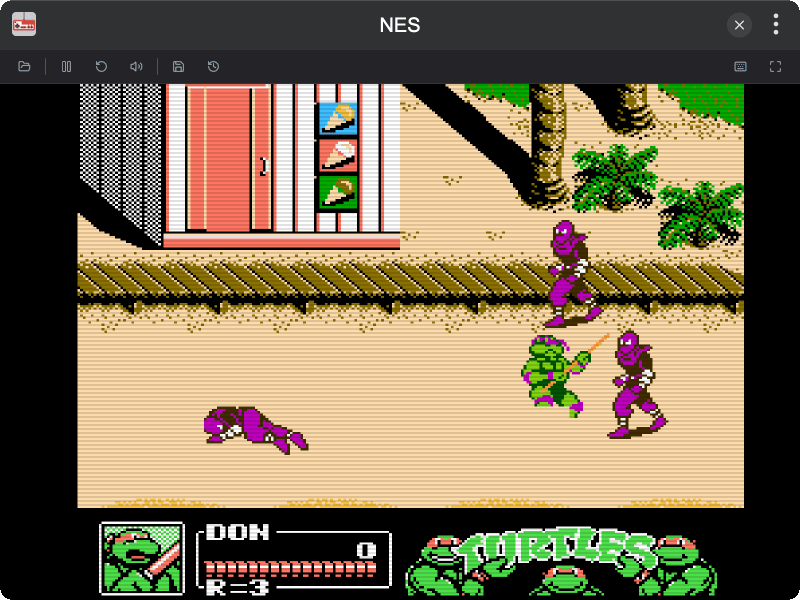
Features
- NES Emulation — Full NES emulation with keyboard and gamepad support
- ROM Loading — Load
.nesfiles via file picker or drag-and-drop - Two Players — Keyboard and gamepad mapping for two players
- Pause / Resume — Pause and resume the game at any time
- Reset — Restart the current ROM
- Save / Load State — Save or restore game progress
- Mute / Unmute — Toggle audio on and off
- Fullscreen — Enter fullscreen mode for an immersive experience
- Custom Keymap — Customize keyboard and gamepad bindings with turbo support
- Dark Mode — Supports dark theme
Installation
Download and install TINKER, then run:
bash
npm i -g tinker-nesUsage
- Click OPEN ROM to load a
.nesfile, or drag and drop a file onto the screen - Play using keyboard or gamepad
- Click PAUSE / RESUME to pause or resume the game
- Click RESET to restart the current ROM
- Click SAVE STATE / LOAD STATE to save or restore progress
- Click MUTE / UNMUTE to toggle audio
- Click FULLSCREEN to enter fullscreen mode
- Click KEYMAP to customize keyboard and gamepad bindings