
tinker-image-splitter
A plugin for TINKER to split images into multiple pieces with customizable grid layouts.
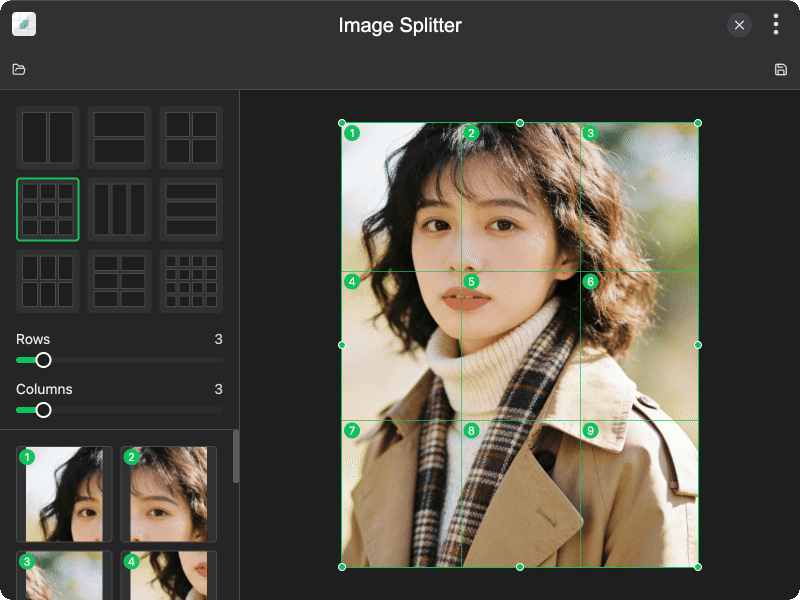
Features
- Grid presets — quick-select from 9 preset layouts (2x1, 1x2, 2x2, 3x3, 3x1, 1x3, 2x3, 3x2, 4x4)
- Custom grid — manually set rows and columns (1–16 each) for any grid configuration
- Adjustable dividers — drag grid lines to resize individual cells with custom proportions
- Crop region — define a crop area to split only a portion of the image
- Cell previews — preview each split cell before exporting
- Batch export — export all cells as PNG images with numbered filenames to a chosen directory
Usage
- Click Open Image or drag and drop an image onto the canvas
- Select a grid preset or manually adjust rows and columns
- Drag grid dividers to adjust cell proportions if needed
- Resize the crop region handles to focus on a specific area
- Preview split cells in the sidebar to verify the result
- Click Save Split Images and select an output directory to export all cells