
tinker-gomoku
A polished 3D Gomoku game for TINKER, built with Three.js.
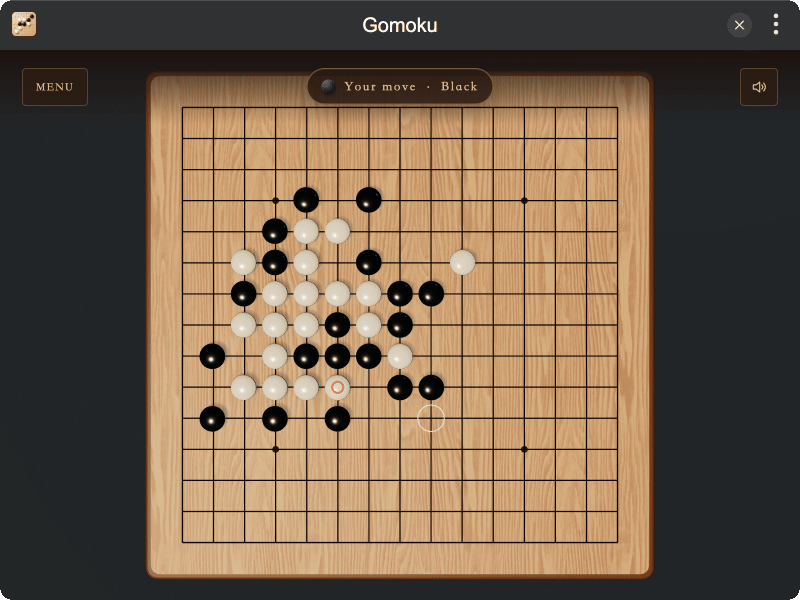
Highlights
- Classic Gomoku — play on a standard 15×15 board with star points and a clear winning-line animation
- Play your way — local two-player mode or a computer opponent with Easy, Normal, and Hard difficulty
- Multiple controls — mouse, touch, keyboard, and gamepad support
- Immersive 3D board — rounded wood textures, normal mapping, stone-drop animation, lighting, and soft shadows
- Remembers your choices — mode and difficulty selections are saved automatically
- Bilingual interface — English and Simplified Chinese
Installation
Play directly in browser, or install via TINKER: download from https://tinker.liriliri.io/, then run npm i -g tinker-gomoku.
How to Play
- Choose local two-player mode or play against the computer, then select a difficulty.
- Click an intersection to place a stone, or move the cursor with the arrow keys, WASD, or a gamepad.
- Press Space or Enter to place a stone. Black moves first.
- Drag with the left mouse button to rotate the board, or the right mouse button to pan.
- Connect five stones in a row to win.