
tinker-sftp
An SFTP client plugin for TINKER to browse and transfer remote files via SSH.
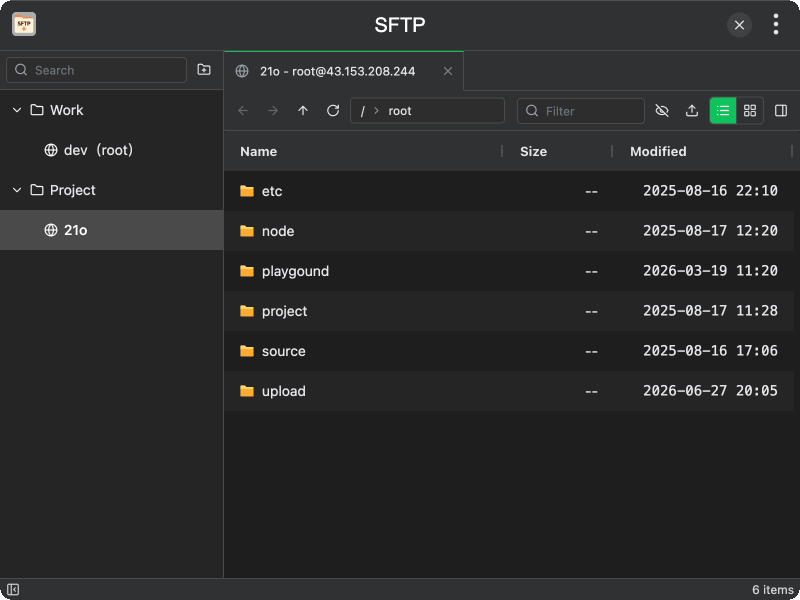
Features
- Session management — organize connections into folders, save credentials for quick access
- Password and private key auth — support both password-based and SSH private key authentication
- Tabbed browsing — open multiple connections in tabs and switch between them
- File explorer — browse remote directories with list or grid view, sort by name/size/modified time
- Upload and download — transfer files and directories with progress tracking
- Remote file operations — create folders, rename, and delete files/directories on the remote server
- Path navigation — go back, forward, up, or type a path directly; filter entries by name
- Show hidden files — toggle visibility of hidden files
- Transfer panel — view ongoing and completed transfers with progress bars
Usage
- Click New Folder to create a session group, then New Session to add a connection
- Enter host, port, username, and choose password or private key authentication
- Double-click a session to connect; the remote directory listing appears
- Navigate directories by clicking, or use back/forward/up buttons
- Select files and click Download to save locally, or Upload to send local files
- Right-click entries to rename or delete them
- Open the transfer panel to monitor progress of all file transfers