
tinker-process-killer
A process manager plugin for TINKER, allowing you to view, search, and kill running system processes.
Features
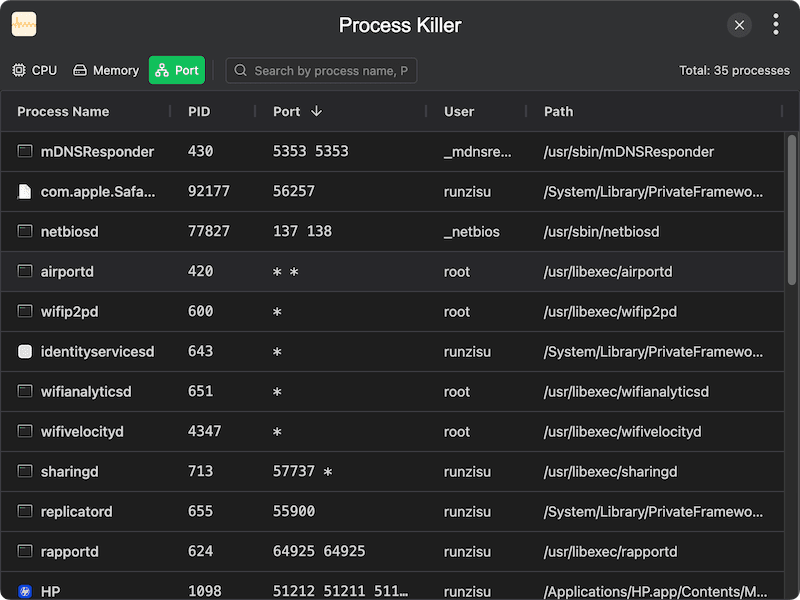
- Process list — view all running processes with name, PID, CPU usage, memory usage, user, and state
- View modes — switch between CPU, memory, and port views to focus on different resource metrics
- Search — filter processes by name, PID, user, or port number
- Sort — sort by any column in ascending or descending order
- Kill process — terminate a process with confirmation dialog
- Network ports — display listening ports and protocol for each process
- Process icons — show application icons for each process
- Auto refresh — automatically refresh the process list at regular intervals
- Manual refresh — manually refresh the process list on demand
Usage
- Launch the plugin to see a list of all running processes sorted by CPU usage
- Switch between CPU, Memory, and Port view modes using the toolbar
- Use the search bar to filter processes by name, PID, or port
- Click a column header to sort the list by that field
- Click the kill button on a process row and confirm to terminate it
- Toggle auto refresh to keep the list updated automatically