
tinker-sudoku
Fill the grid so every row, column, and box contains 1–9! A classic logic puzzle for TINKER.
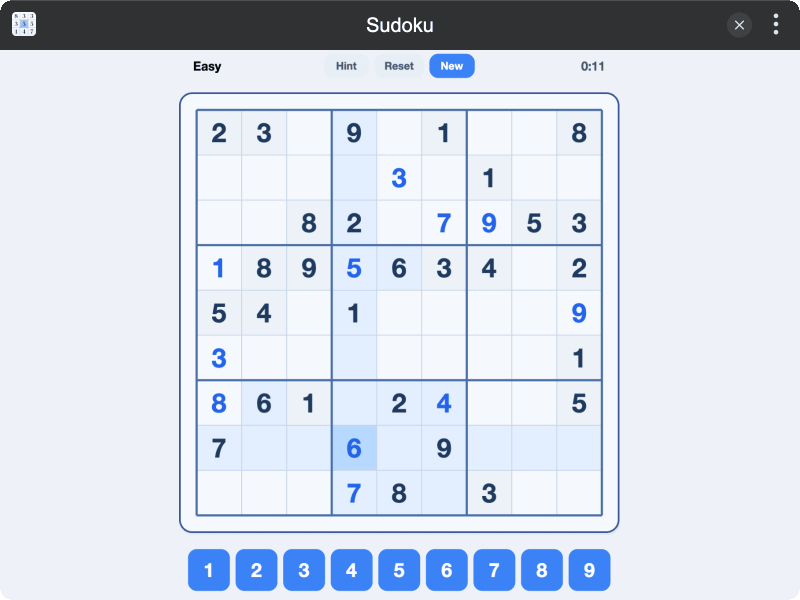
Highlights
- Four difficulty levels — Easy, Medium, Hard, and Insane with progressively fewer given clues
- Smart hints — reveal a missing number, or fix a wrong one when the grid is full
- Helpful highlights — selected cells show matching row, column, box, and same-digit peers
- Play your way — tap the digit pad, use keyboard (1–9 and arrow keys), or click cells directly
- Built-in timer — track how long each puzzle takes
- Remembers your level — difficulty choice is saved automatically
- Bilingual — fully localized in English and Chinese (数独)
Installation
Play directly in browser, or install via TINKER: download from https://tinker.liriliri.io/, then run npm i -g tinker-sudoku.
How to Play
- Open the Sudoku plugin in TINKER
- Tap the difficulty label to choose Easy, Medium, Hard, or Insane
- Tap an empty cell, then pick a digit from the pad below (or press 1–9 on the keyboard)
- Fill every row, column, and 3×3 box with digits 1–9 — no repeats allowed
- Use Hint for a nudge, Reset to clear your entries, or New for a fresh puzzle
- Complete the grid to win — Puzzle solved!