
tinker-webapp
A web app manager for TINKER that turns arbitrary websites into installable plugins.
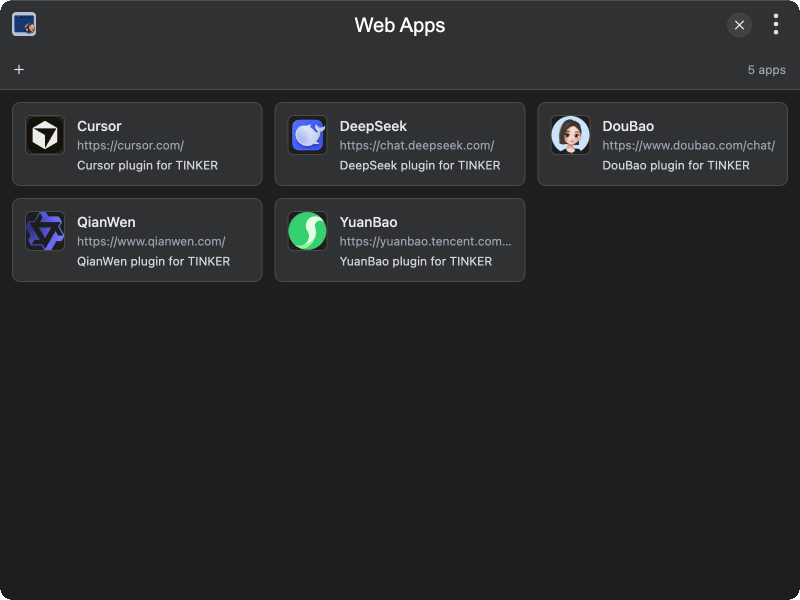
Features
- Add websites as plugins — save any http(s) URL as a Tinker plugin that opens like a native tool
- App list — browse all web apps in a card grid with name, URL, description, and icon
- Auto favicon — fetch the site favicon automatically when you enter a URL
- Custom icon — choose a local image (png, jpg, ico, webp, svg) or remove it to re-fetch
- Plugin ID — auto-suggest a slug from the name; prefix becomes
tinker-web- - Categories — assign Dev, File, Media, Productivity, System, or Entertainment
- Edit & delete — update name, URL, category, description, and icon; remove apps with confirmation
- Open as plugin — click a card to launch the installed web app plugin
Usage
- Click the + button in the toolbar to add a web app
- Enter a Name (plugin ID is suggested automatically) and the website URL
- Optionally set a Category, Description, and icon (auto-fetched or chosen manually)
- Click Save — the site is installed as a Tinker plugin
- Click a card in the list to open the web app
- Hover a card and use Edit or Delete to manage it