
tinker-config-editor
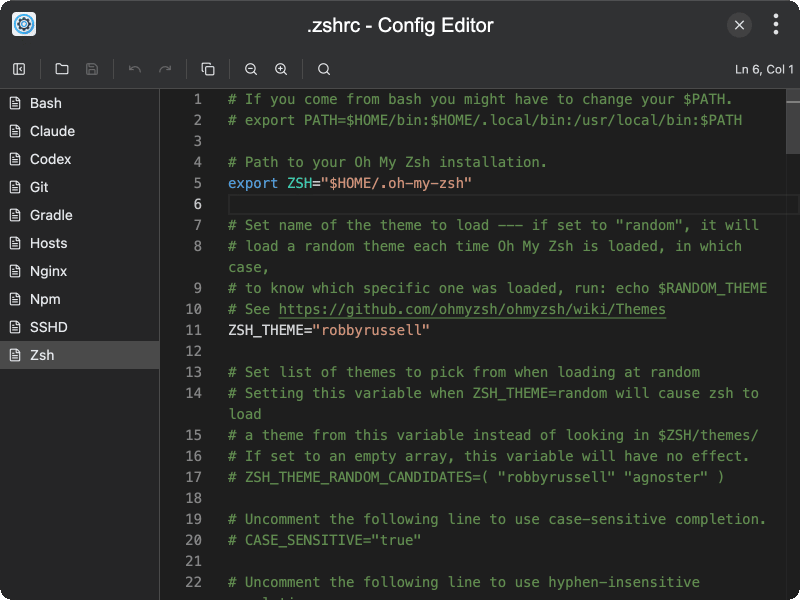
A config file editor plugin for TINKER that provides a visual editor for browsing and editing system and application configuration files.
Features
- Auto-detection of config files — automatically scans for common configuration files such as
.npmrc,.gitconfig,.bashrc,.zshrc,hosts,nginx.conf, and more - Monaco code editor — syntax-highlighted editing with support for JSON, INI, shell, and plaintext formats
- Undo/Redo and search — full editing capabilities including undo, redo, and in-editor search (Ctrl+F)
- Save changes — write modifications back to disk directly from the editor
- Unsaved changes tracking — visual indicator when a file has been modified but not yet saved
- Show in folder — reveal the config file in the system file explorer
- Copy contents — copy the entire file content to the clipboard
- Adjustable font size — configure editor font size from 10px to 32px
- Collapsible sidebar — file list sidebar that can be toggled for more editing space
- State persistence — last opened file, font size, and sidebar state are preserved across sessions
Usage
- Open the plugin to see a list of detected configuration files in the sidebar
- Click a file to load it in the Monaco code editor
- Edit the file content with syntax highlighting and line numbers
- Click the save button to write changes back to disk
- Use the folder icon to reveal the file in your system file explorer
- Adjust font size via the settings to customize the editor display