
tinker-screenshot-mockup
A screenshot mockup plugin for TINKER that beautifies screenshots with device frames and backgrounds for store or marketing visuals.
Features
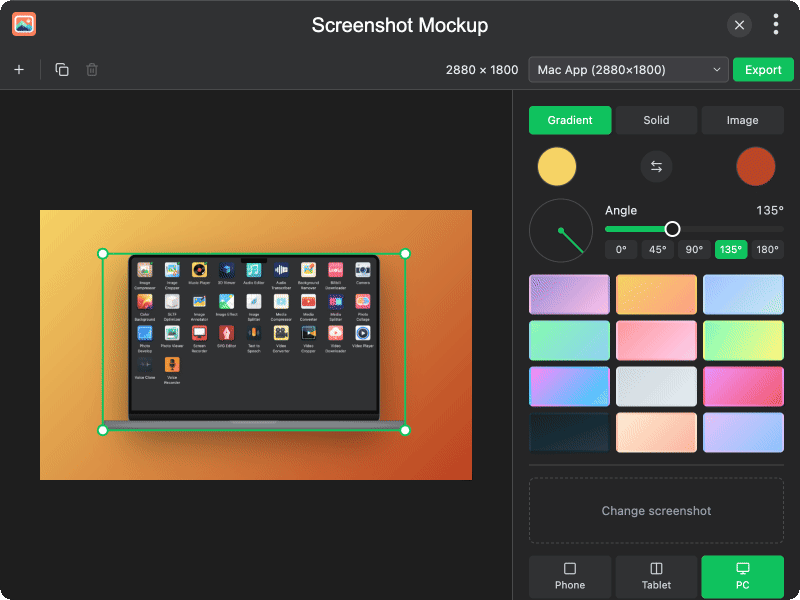
- Device frames — place screenshots in Phone, Tablet, or PC frames (or hide the frame)
- Multi-device scenes — add, duplicate, and remove multiple devices on one canvas
- Canvas presets — App Store, Play Store, Instagram, Open Graph, and custom sizes
- Background options — gradient presets, solid color, custom image, or transparent
- Shadows & transforms — drag, scale, rotate devices, and toggle drop shadows
- Export — export the composed mockup as an image
Usage
- Choose a canvas preset or set a custom size from the toolbar
- Click a device to add a screenshot (or change an existing one)
- Pick a device type (Phone / Tablet / PC) and toggle the device frame as needed
- Style the background with a gradient, solid color, or image
- Drag, scale, or rotate devices on the canvas; add more with the + button
- Click Export to save the mockup