
tinker-bongo-cat
A Bongo Cat desktop pet plugin for TINKER. The cat drums with your keyboard and follows the mouse pointer.
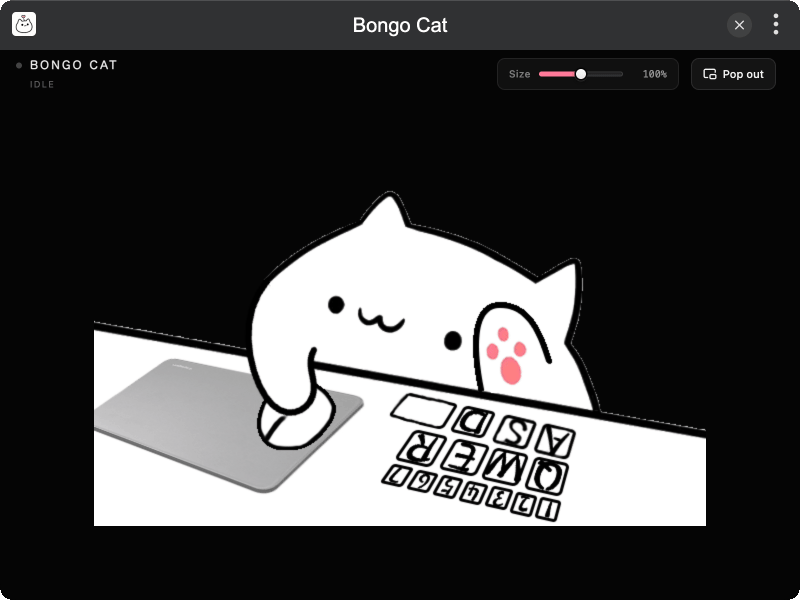
Features
- Keyboard drumming — left hand and key highlights for WASD, QER, Space, and 1–7
- Mouse follow — right arm and mouse cursor track the pointer across the screen
- Button overlays — left / right / side mouse clicks light up on the mouse
- Random faces — click the cat’s head for a short expression
- Floating window — pop out an always-on-top companion; drag to move; size slider; restores after reopen
Installation
Download and install TINKER, then run:
bash
npm i -g tinker-bongo-catUsage
- Open the plugin and type or move the mouse — the cat reacts in the main window
- Drag the Size slider to scale the scene
- Click Pop out for an always-on-top floating window (drag to reposition)
- Click the cat’s head for a random face
- Close and reopen the plugin while floating — the window restores automatically
Credits
Classic layered-PNG “standard” assets from Bongo-Cat-Mver (MIT).