
tinker-file-search
A quick local file search plugin for TINKER that lets you find files on your computer by name with instant results.
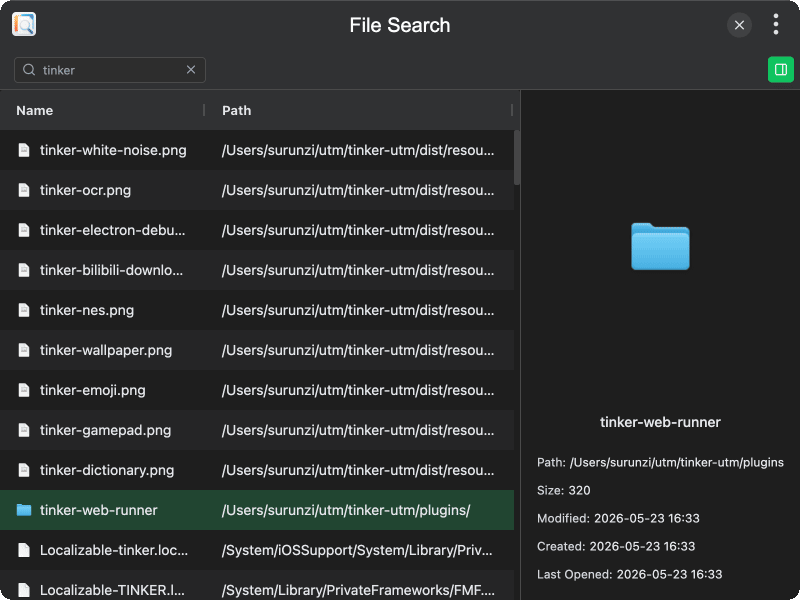
Features
- Instant search — type a query and results appear in real time with debounced input
- File details — displays file name, path, size, and modification date in a grid view
- File icons — shows native system icons for each file type
- File preview — toggle a side panel to preview the selected file
- Infinite scrolling — automatically loads more results as you scroll down
- Show in folder — click a file path or use the context menu to reveal it in the system file manager
- Copy path — quickly copy a file's full path to the clipboard
- File deletion — delete files directly from search results, with an option to move to trash or permanently delete
- Context menu — right-click any result to access show in folder, copy path, and delete actions
Usage
- Type a file name or keyword in the search bar at the top
- Browse the results in the grid — click a row to select it
- Toggle the preview panel using the button in the toolbar to see a file preview
- Double-click a result to open its location in the system file manager
- Right-click a result to access additional actions like copy path or delete
- When deleting, choose whether to move the file to trash or permanently delete it