
tinker-photo-collage
A photo collage plugin for TINKER, allowing you to arrange multiple photos into various grid layouts.
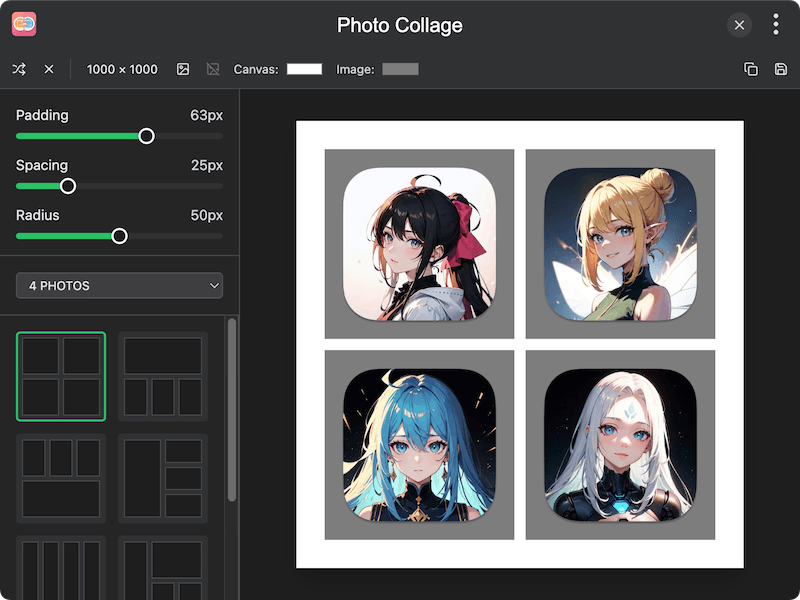
Features
- Grid layout templates — choose from a variety of layout templates for 2 to 16 photos
- Drag and drop — drag photos from the sidebar into layout slots
- Customizable canvas — configure canvas width, height, and background color
- Padding, spacing, and radius — adjust padding, spacing between slots, and corner radius
- Photo adjustment — scale and reposition photos within each slot
- Grid resizing — drag grid dividers to resize rows and columns
- Background image — set a custom background image for the canvas
- Randomize — shuffle photo positions across slots
- Save and copy — save the collage as an image or copy it to clipboard
Usage
- Click the Photos area in the sidebar to add photos
- Select the number of photos and choose a layout template
- Drag photos from the sidebar into the layout slots on the canvas
- Adjust padding, spacing, and radius using the sidebar controls
- Drag grid dividers to resize rows and columns as needed
- Scroll within a slot to zoom, or drag to reposition a photo
- Click Random to shuffle photo positions
- Click Save to export the collage as an image, or Copy Image to copy to clipboard