
tinker-file-shredder
A file shredder plugin for TINKER that securely deletes files by overwriting data multiple times to prevent recovery.
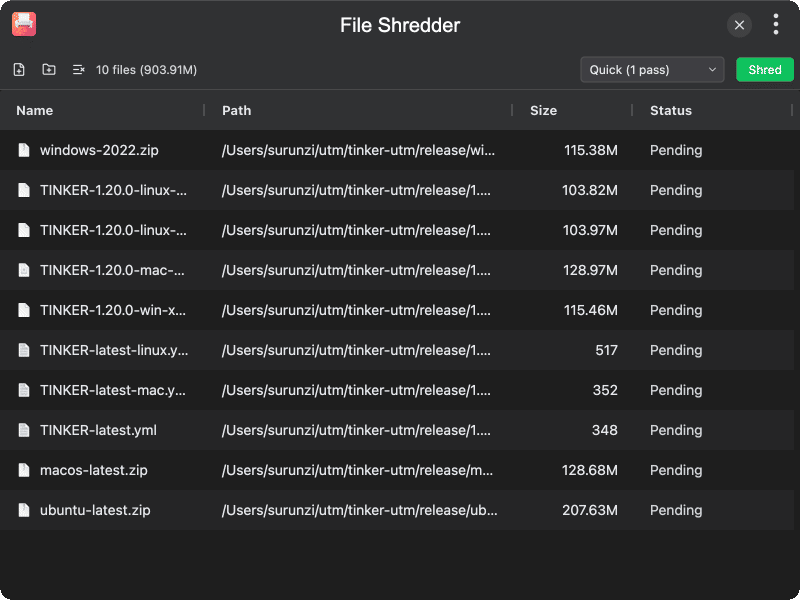
Features
- Multiple shred methods — choose from Quick (1 pass), Standard (3 passes, DoD), or Thorough (7 passes)
- Batch shredding — add multiple files or entire folders for batch processing
- Drag & drop — drag and drop files directly onto the interface
- Progress tracking — real-time progress for each file and overall shredding progress
- Cancel support — cancel shredding at any time during the process
- Show in folder — locate files in the system file manager before shredding
- File details — view file name, path, and size for each added file
Usage
- Click Add Files to select files, or Add Folder to add all files in a directory
- Alternatively, drag and drop files directly onto the interface
- Select a shred method: Quick, Standard, or Thorough
- Review the file list and remove any files you don't want to shred
- Click Shred and confirm the irreversible operation
- Monitor progress — successfully shredded files are removed from the list, failed files remain for inspection