
tinker-terminal
A terminal emulator plugin for TINKER, with SSH configuration management and split pane support.
Features
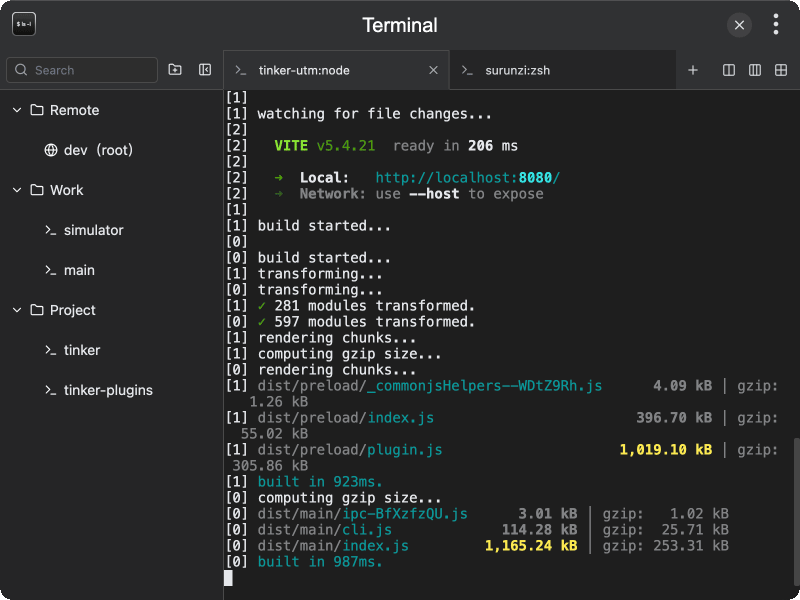
- Terminal emulator — full-featured terminal powered by xterm.js
- Multiple tabs — open, close, reorder, and switch between terminal tabs
- Split panes — split the current pane horizontally or vertically, with preset layouts (dual columns, triple columns, grid)
- SSH sessions — connect to remote servers via SSH with password or private key authentication
- Session management — organize SSH and local sessions into folders for quick access
- Custom shell — configure which shell to use for local sessions
- Working directory — set a custom starting directory for each session
- Sidebar — toggle a session sidebar for managing saved connections
- Pane title tracking — tab titles update automatically based on the active pane's process
Usage
- Open the plugin to start a new local terminal session
- Use the tab bar to create additional terminal tabs
- Right-click a pane header to split it horizontally or vertically
- Open the sidebar to manage saved sessions (local or SSH)
- Create a folder, then add sessions with custom shell, working directory, or SSH connection details
- Click a saved session to open it in a new tab