
tinker-piano
A virtual piano plugin for TINKER, with real grand piano samples, computer-keyboard play, and MIDI demos.
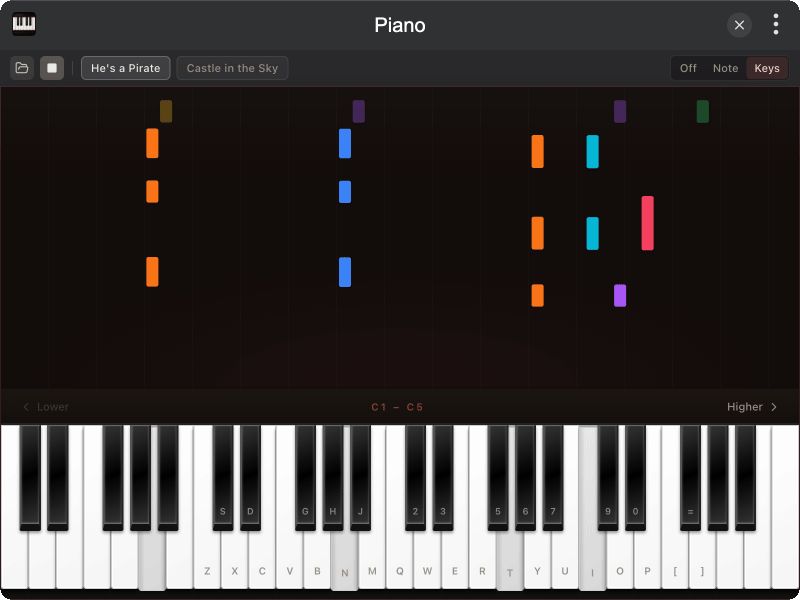
Features
- Playable keyboard covering C1–C8 when the window is wide enough; fewer octaves when narrow
- Computer keys mapped to piano notes; arrow keys shift the octave range
- Salamander samples via Tone.js /
@tonejs/pianofor realistic note attack and release - Built-in demos: He's a Pirate, Castle in the Sky
- Open MIDI from disk (or the browser file picker) and play it back
- Key labels: off, note names, or computer-key hints
- Hold-length bursts above the keys when notes are released
Installation
Play directly in browser, or install via TINKER:
bash
npm i -g tinker-pianoUsage
- Wait for samples to load, then click keys or type on the keyboard to play
- Use Lower / Higher (or ← / →) to move the visible octave range
- Pick a demo song and press play, or open a
.mid/.midifile - Switch label mode in the toolbar (Off / Note / Keys)
Credits
Piano samples from the Salamander Grand Piano set, loaded through @tonejs/piano.